
Your child has been using Tarenoi for a few weeks, and you’re not quite sure what they are accessing. The platform attracts a young audience, but its operation remains unclear for many parents. With the absence of visible security guarantees and sometimes poorly categorized content, the risks for minors deserve careful examination, followed by concrete solutions to regain control.
Tarenoi and Minors’ Personal Data: What the Platform Doesn’t Show
Before discussing filters or time restrictions, a more fundamental issue arises. Tarenoi does not publicly document the encryption of its payments and does not offer visible two-factor authentication. Its privacy policy remains vague and hard to locate on the site.
For an informed adult, these gaps are already concerning. For a minor creating an account without supervision, they become a real risk. A teenager can provide their name, address, or even banking details without equivalent protections in place as those found on major platforms.
Have you noticed that Netflix or Spotify clearly display their security certifications in the footer? Tarenoi provides no PCI-DSS certification or accessible GDPR policy. This discrepancy is not trivial: it means that your child’s data is circulating without the usual safeguards.
An article dedicated to the impact of Tarenoi on minors also notes that no public history of security incidents is available, which, paradoxically, serves as a warning sign: it means the platform does not communicate about its management of potential vulnerabilities.

Inappropriate Content on Tarenoi: Why Traditional Filtering is Not Enough
The parental control integrated into smartphones (Screen Time on iOS, Family Link on Android) relies on lists of known sites and applications. It effectively filters YouTube, TikTok, or Instagram because these services are listed in their databases.
Tarenoi presents a different problem. The platform operates as a “gray” service: neither clearly identified as adult content nor included in standard filtering catalogs. As a result, generic parental control tools do not block Tarenoi by default.
This ambiguity is reflected in the categorization of content offered on the platform itself. Without a visible age classification system, a ten-year-old child and a sixteen-year-old teenager have access to the same catalog. A parent relying solely on the phone’s filter misses the issue.
The Limits of URL or Application Blocking
Blocking the Tarenoi URL in the family browser seems logical. In practice, a teenager can bypass this restriction in seconds: alternative browser, free VPN, access via a link shared by a friend on a messaging app.
Application blocking (preventing the installation of an app) is more robust, but Tarenoi can also be accessed via a simple web browser. An effective block combines DNS restriction and browser supervision, not just an application filter.
Enhanced Parental Control for Tarenoi: A Concrete Method
Rather than a list of software, here’s a layered approach that adapts to the child’s age and risk level.
First Layer: Network Filtering at the Router Level
The majority of Internet boxes in France (Orange, Free, SFR, Bouygues) offer DNS filtering that can be activated from the administration interface. This filtering applies to all devices connected to the home network, regardless of the browser used.
- Access your box’s interface (often 192.168.1.1) and look for the “parental control” or “filtering” section
- Manually add the Tarenoi domain to the blacklist, in addition to the preconfigured categories
- Activate “strict” mode which also blocks alternative DNS queries, preventing bypassing through a public DNS like Google or Cloudflare
This step protects the home network. It does not cover usage on 4G/5G, hence the need for a second layer.
Second Layer: Restrictions on the Mobile Device
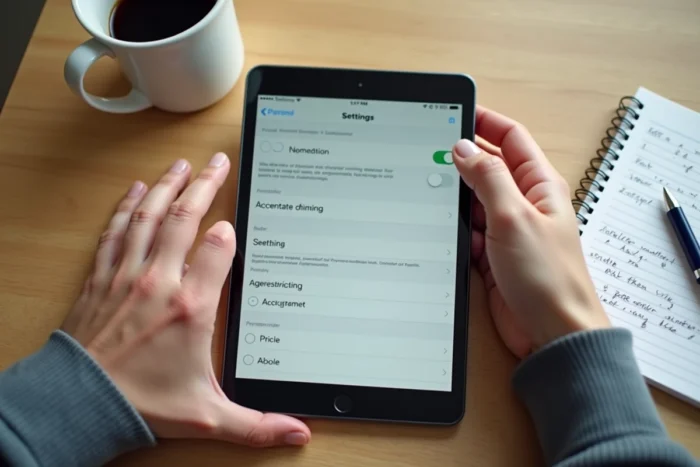
On the child’s phone, the native parental control of the operating system remains the foundation. But it is necessary to go further than the default activation.
- Disable the installation of apps from outside the official store (the “unknown sources” setting on Android, automatic restriction on iOS)
- Set up a restricted browsing profile that only allows explicitly approved sites, rather than a “everything except the blacklist” mode
- Limit access to free VPNs by blocking their download via Family Link or Screen Time
- Regularly check the browsing history, including in private mode (some tools like Qustodio also record private sessions)
Third Layer: The Conversation
No technical filter replaces direct communication. A child who understands why a platform is risky cooperates better than a child who feels monitored without explanation.
Explain concretely what the absence of data encryption means. Show them the difference between a platform that displays its certifications and one that does not. An informed teenager can spot warning signs on an unknown site.
French Law and Parental Control: What Manufacturers Must Provide
The law of March 2, 2022, requires manufacturers of connected devices (smartphones, tablets, consoles) to integrate a parental control system that can be activated from the first use. The CNIL specified in its opinion that these tools must incorporate the principles of personal data protection from their design.
In practice, this means that your child’s phone already offers native parental control. The problem is not the absence of a tool, but the fact that most parents do not configure these devices beyond the initial activation. Activated but uncustomized parental control allows platforms like Tarenoi to slip through.
The ANFR checks the compliance of devices sold in France, but its scope stops at the device. The online content accessible largely escapes this hardware regulation. Protection therefore relies on a combination of appropriate technical filtering and family dialogue, not on a single device that would solve everything.